
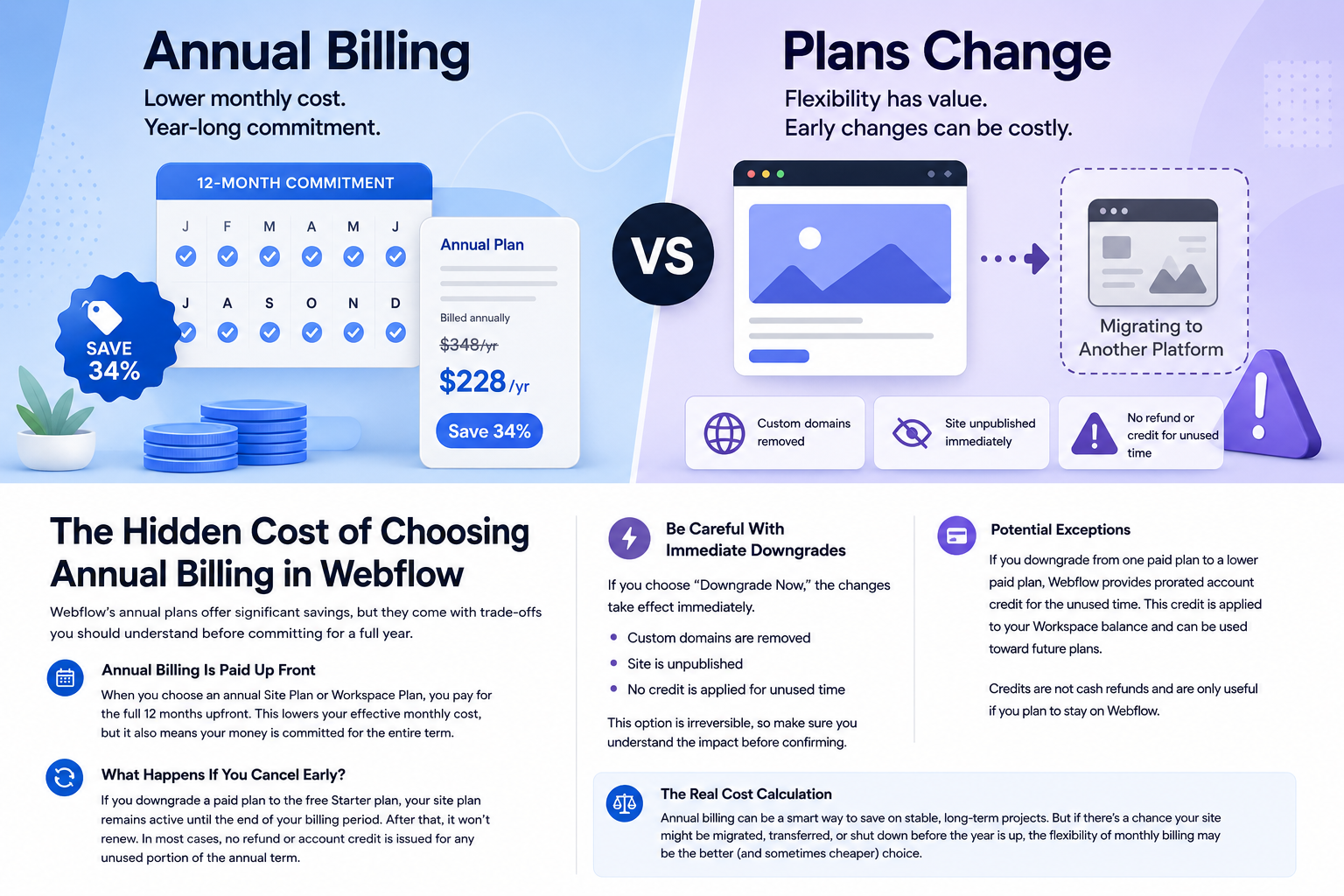
Webflow has increasingly encouraged customers to choose annual billing by offering a significant discount compared to monthly plans. While the savings can be attractive, there is an important consideration that many site owners overlook before committing to a full year.
For stable, long-term projects, annual billing often makes financial sense. However, if there's a possibility that your site may be migrated, transferred, redesigned, or shut down before the end of the term, it's worth understanding exactly how Webflow handles plan changes and cancellations.
Annual Billing Means Paying Up Front
When you choose an annual Site Plan or Workspace Plan, you pay for the entire year in advance. In exchange, Webflow offers a lower effective monthly rate compared to month-to-month billing.
For many businesses, this is a straightforward decision. If the site is expected to remain active for years, the annual savings can add up quickly.
The trade-off is flexibility.
What Happens If You Cancel Early?
Many people assume that canceling an annual plan halfway through the year will result in a prorated refund for the unused months. That's generally not how Webflow handles annual Site Plans.
If you downgrade a paid Site Plan to the free Starter Plan, your paid features typically remain active until the end of the current billing period. The plan simply does not renew for another year.
This approach allows you to continue using the site you've already paid for, but it also means you should not expect a refund for the unused portion of an annual subscription.
The "Downgrade Now" Option
Webflow also provides an option to downgrade immediately.
At first glance, this may seem like the fastest way to cancel a site that is no longer needed. However, there are consequences that many users overlook.
When you choose Downgrade Now:
- Your custom domain is removed immediately
- The site is unpublished immediately
- Paid plan features are removed immediately
- No account credit is applied for the unused time remaining on the plan
If you're planning a migration or site transition, this is an important distinction to understand before making changes.
When Credits May Apply
There is one area where Webflow does provide prorated value.
If you move from one paid plan to another paid plan, Webflow may apply prorated account credit for the unused portion of the original plan. This credit is applied to your Webflow account and can be used toward future Webflow services.
However, account credit is not the same thing as a refund.
If you're leaving the platform entirely, account credit may have little or no value.
Why This Matters
The financial impact depends entirely on your situation.
Consider two examples:
Scenario 1: Stable Long-Term Website
A business website that has been online for years and has no plans to move platforms will likely benefit from annual billing. The lower effective monthly cost provides immediate savings with very little downside.
Scenario 2: Site May Be Migrated
A startup, marketing campaign, client project, or redesign initiative may have a much shorter lifespan. If there is a realistic chance the site could move to another platform within six to twelve months, annual billing may not provide the savings you initially expect.
In those situations, the higher monthly cost can effectively act as an insurance policy against changing plans later.
The Real Cost Calculation
When evaluating Webflow pricing, don't focus exclusively on the advertised annual discount.
Instead, ask yourself a few questions:
- Will this website still be on Webflow 12 months from now?
- Is there any chance the project could be canceled?
- Could the site be migrated to WordPress, Statamic, Astro, or another platform?
- Is flexibility more important than maximizing savings?
The answers will often determine whether annual or monthly billing is the better financial decision.
Final Thoughts
Annual billing is not inherently good or bad.
For established websites with a predictable future, annual plans can provide meaningful savings.
For projects that may change direction, however, flexibility has value. Understanding how Webflow handles downgrades, cancellations, credits, and plan changes can help you avoid surprises and make a more informed decision before committing to a full year.
Sometimes the annual discount is absolutely the right choice.
Sometimes paying a little more each month is the less expensive decision in the long run.
Source
Webflow Help Center: Downgrade or cancel your Site plan
https://help.webflow.com/hc/en-us/articles/33961220482707-Downgrade-or-cancel-your-Site-plan